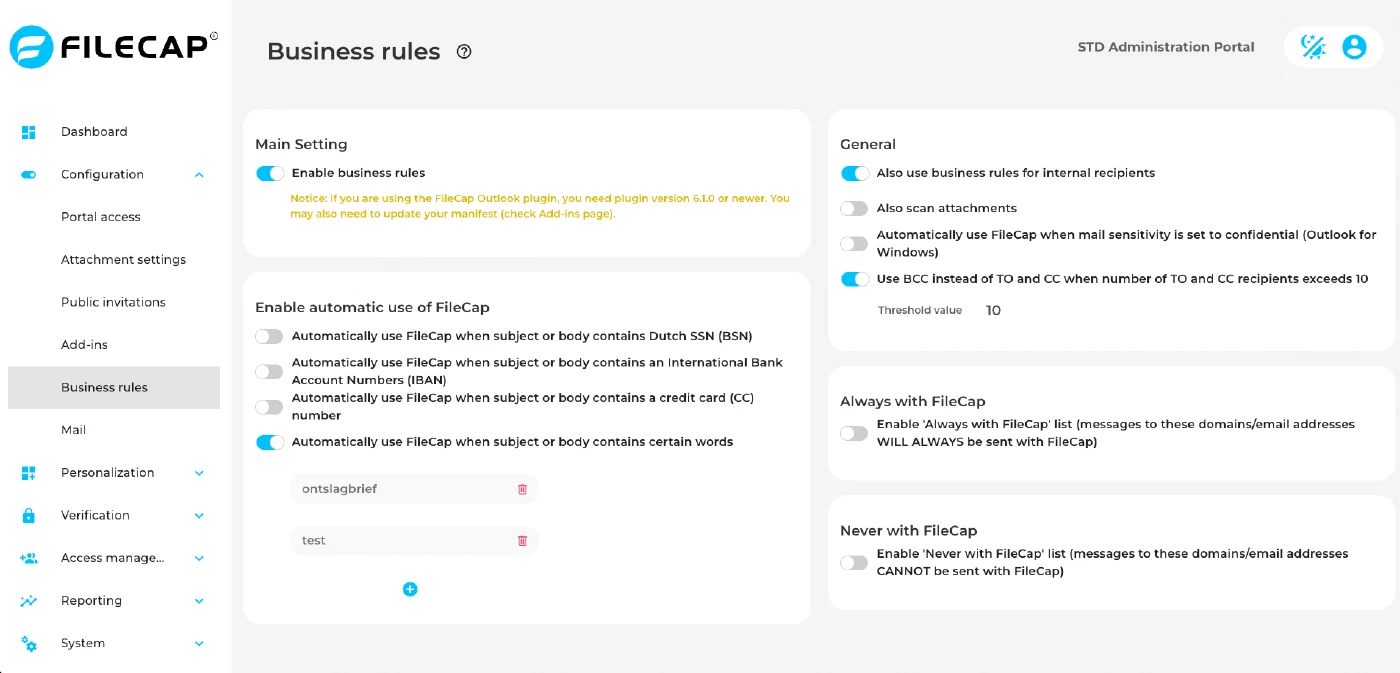
| Apply business rules to internal recipients as well | Apply business rules to both external and internal recipients to ensure consistency when using FileCap. |
| Also scan attachments | FileCap is automatically activated when an attachment contains sensitive information, for example a Dutch Social Security Number (BSN), international bank account number (IBAN), or credit card number (CC), depending on the configured business rules. FileCap scans the first 1024 Kb of each attachment for the sake of user-friendliness and market conformity. |
| Automatically trigger FileCap usage when the subject or body of an email contains a Dutch Social Security Number (BSN), international bank account number (IBAN), or credit card (CC) number | Automatically activates FileCap when sensitive personal or financial information is detected in the subject or body. Be aware that this only covers the formatting of these items that are flagged. Discrepancies in formatting will not be included in triggers. |
| Utilize FileCap when specific words are detected in the subject or body of an email | FileCap is activated when specific words are detected in the subject or body of an email, providing additional protection for sensitive content. |
| Automatically enable FileCap when the sensitivity of the email is set to “confidential.” | When the sensitivity setting of an email is set to “confidential”, FileCap is automatically enabled to ensure the security of the communication. |
| Use BCC instead of TO and CC when number of TO and CC recipients exceeds N | When the number of TO and CC recipients together exceeds the threshold value N, all TO and CC recipients are automatically moved to the BCC field to protect privacy. N can be set from 2 to 500; the default is 10. |
| Configure a “Never with FileCap” list | Configure a “Never with FileCap” list to prevent messages from being sent with FileCap to specific domains or email addresses. This way, messages can be sent securely without using FileCap functionality. |
| Configure an “Always with FileCap” list | Set up an “Always with FileCap” list to ensure that messages to designated domains or email addresses are always sent with FileCap. This guarantees consistent secure communication. |