

Backups
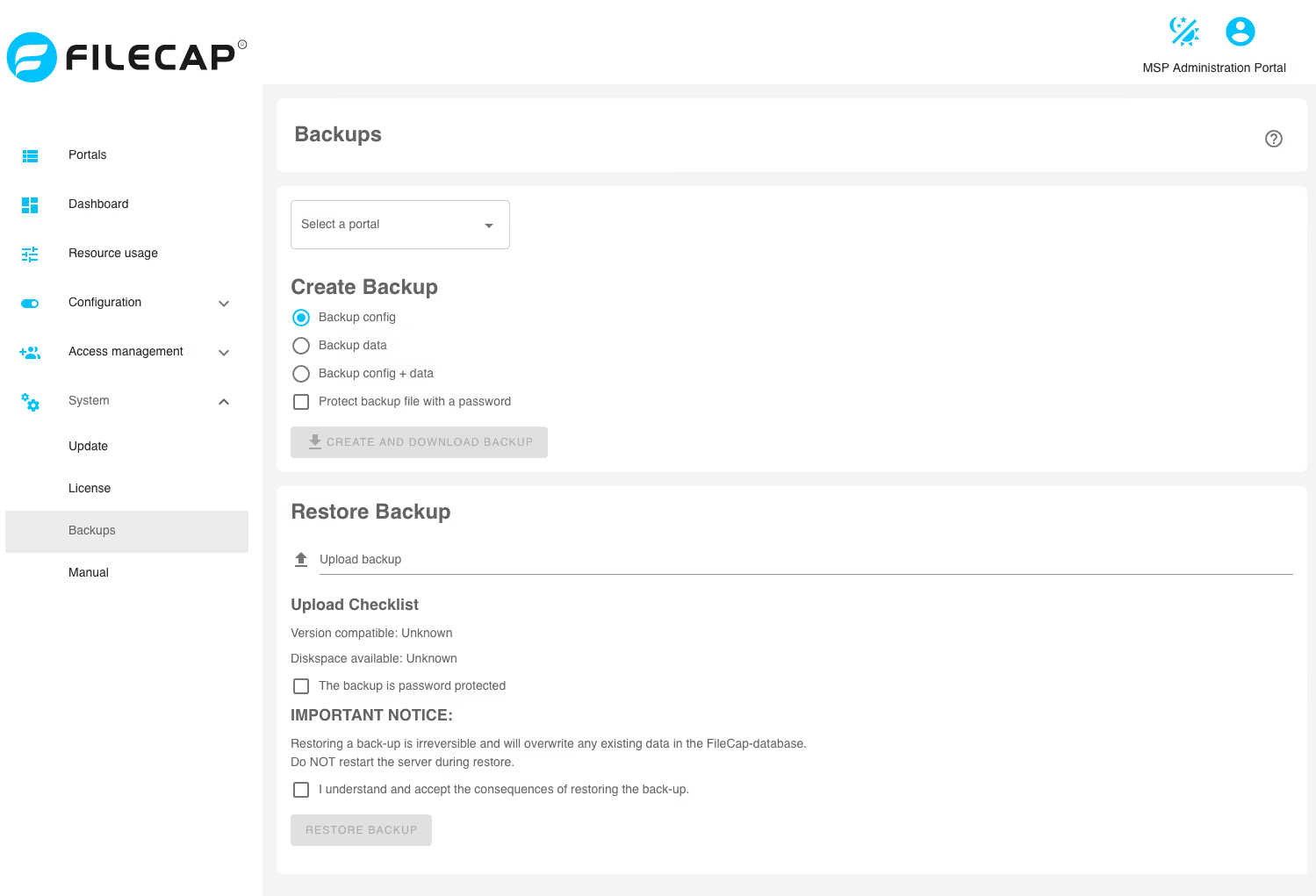
Note: This option is only available as an MSP or STD admin.
#
If an MSP license is used, a portal must first be selected under “Select a portal” for which the backup should be made.
Create backup#
There are several options for creating a backup:
| Option | Description |
|---|---|
| Backup config | Back up only the configuration of the FileCap server |
| Backup data | Back up only the files of the FileCap server |
| Backup config + data | Back up the configuration and the files of the FileCap server |
| Exclude admin accounts from backup | If this is enabled, admin accounts will not be backed up. Note: Only available for STD installations. |
| Protect backup file with a password | The backup is protected with a password |
Restore backup#
This option can be used to restore a backup.
| Option | Description |
|---|---|
| Upload backup | Select the backup file that should be restored |
| The backup is password protected | If the backup in question has a password, enter it here. |
| I understand and accept the consequences of resotirng the back-up | Confirm that you want to restore the backup and that the FileCap server must not be restarted in the meantime. |