

Update
This screen displays the current FileCap version and whether an update is available. If an update is available, the release notes are also immediately visible here.
There are two ways to update FileCap:
Update#
Click the “Update” button when an update is available to update the FileCap server directly to the most recent version. The update will start immediately after clicking the button.
Plan update#
With the “Plan Update” button, it is possible to schedule an update, so that the most recent version will be installed at the chosen moment.
Scheduling an update#
When the Plan Update button is clicked, the following screen appears:
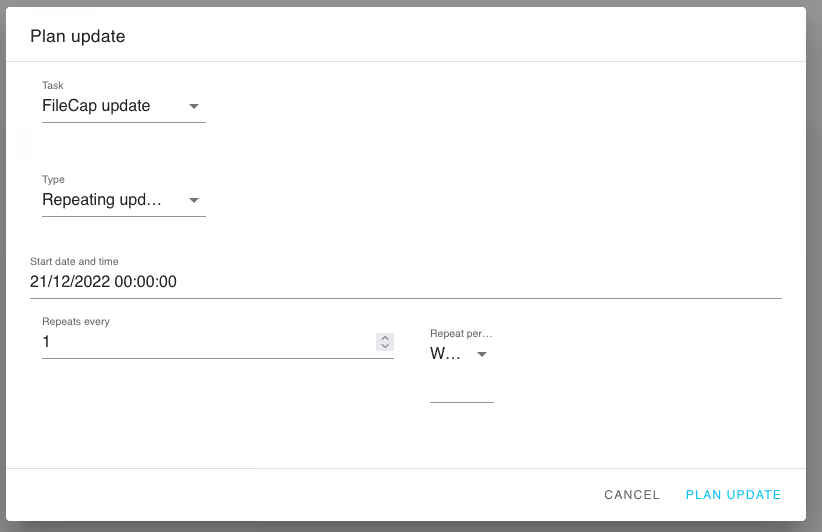
| Setting | Description |
|---|---|
| Type | There are two options: “Single time update”, which performs a one-time update. And “Repeating update”, which allows a recurring moment to be chosen at which an update will be installed if one is available. |
| Start date and time | Select the date/time when the update should start |
| Repeat every | Here you can select how often the installation moment should be repeated, for example every month. |