

SMS verification
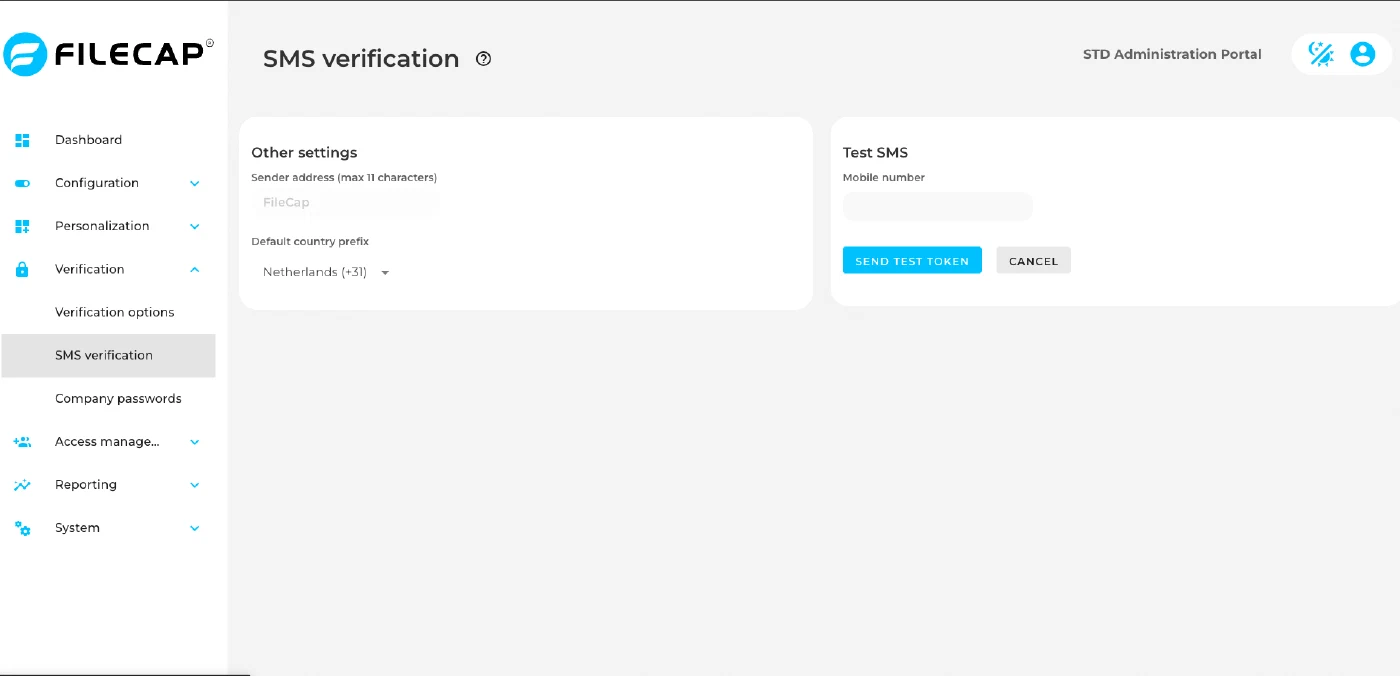
In SaaS, SMS comes pre-configured by FileCap. A SaaS portal administrator sees the “Other settings” and “Test SMS” sections. The “Provider details” section is only shown on portals that manage their own SMS provider, such as on-prem portals.
Other settings#
| Setting | Description |
|---|---|
| Sender address (max 11 characters) | The name that is visible to the recipient as the sender of the SMS. Note: This name may be a maximum of 11 characters long. This is a limit for all SMS providers. This field is hidden when Bird is the SMS provider. On SaaS portals the sender address is set by FileCap and shown read-only. |
| Default country prefix | Select the default country code that will be used if the user has not specified a country code. The portal administrator can change this setting, also on SaaS portals. A number that starts with + is used as entered. A number that starts with 00 is used with 00 replaced by +. Any other number gets the country code in front, and a leading 0 is dropped. Example: If “Netherlands (+31)” is selected, 0612345678 is sent to +31612345678 and 0031612345678 is sent to +31612345678. |
Test SMS#
Each setting is saved on its own: the sender address when you confirm it, the default country prefix as soon as you select it. To test the settings, enter a mobile phone number and click “Send test token”. The Test SMS form is only shown when SMS verification is enabled, and the Test SMS section is not shown to read-only administrators.
Provider details#
This section is not shown on SaaS sub-portals.
| Setting | Description |
|---|---|
| Enable SMS verification | If this option is enabled, it becomes possible to configure an SMS provider and use the SMS capabilities within FileCap. |
| SMS provider | Select an SMS provider here; currently six are supported: Spryng, Messagebird, Bird, Twilio, CM Telecom, Esendex. With the providers Twilio and Messagebird, we use their functionality to validate local phone numbers (without +country code) so that the format is correct. The other providers do not support this functionality. |
| Provider specific settings | The remaining fields are provider-specific. To obtain this information, see the website of the chosen SMS provider. |